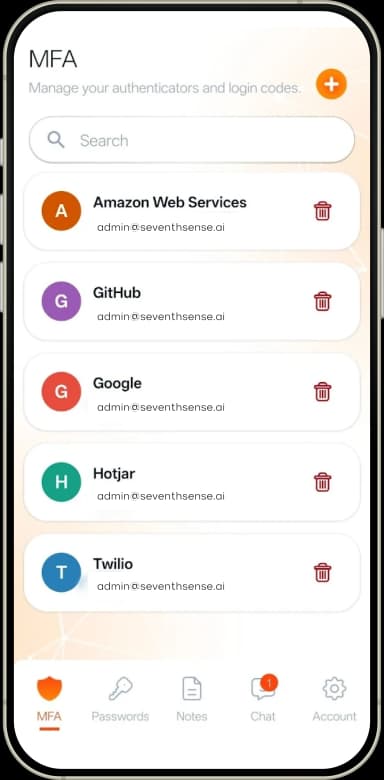
MFA authenticator
TOTP codes for any service that supports authenticator-app TOTP — generated locally, opened only by you.
 Lume Auth · personal app
Keep MFA codes, passwords and secure notes in one app, unlocked by your face, with encrypted Chat included. There is no master password, and biometric images and plaintext templates are not stored.
 Unlocked by you.
TOTP codes for any service that supports authenticator-app TOTP — generated locally, opened only by you.
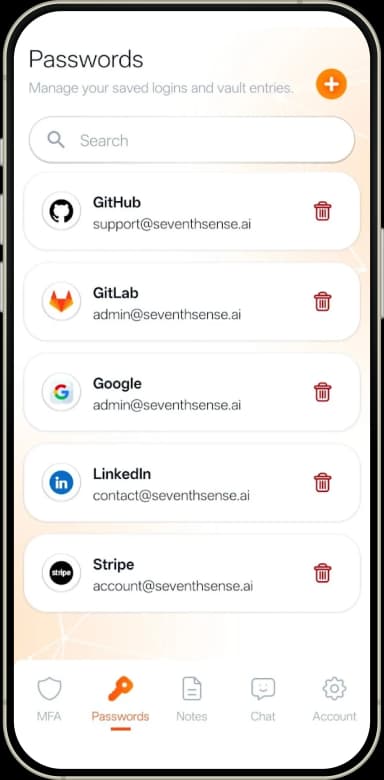
All your logins in a biometric-locked vault — no master password to remember or leak.
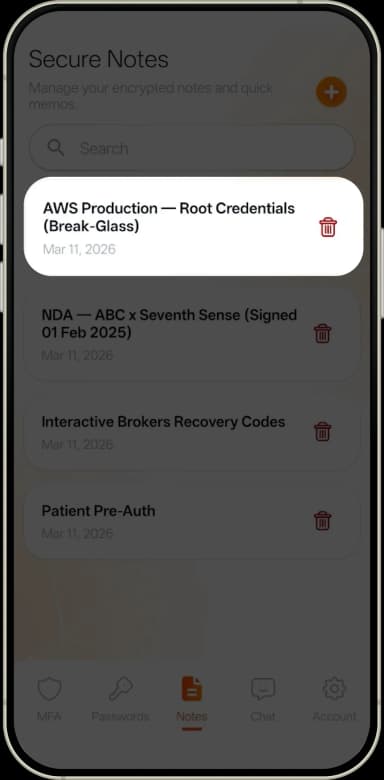
API keys, seed phrases, and private documents, encrypted at rest and unlocked only by your scan.
A quick biometric scan generates a cryptographic key on-device, in real time.
The key decrypts your codes, passwords, and notes locally — their plaintext is not sent to a server.
The derived key is discarded after use. The encrypted vault and sealed recovery data remain.
ML-KEM (FIPS 203) protects key establishment and ML-DSA (FIPS 204) signs data, so your data stays protected as computing power advances.
We have no ability to read your passwords, messages, or notes. Here zero-knowledge means the server never holds your content in plaintext; it is separate from the zero-knowledge proofs in SenseCrypt ZKP.
Biometric images and a plaintext template are not transmitted or saved.
Error-correcting codes are designed to tolerate changes such as a beard, glasses, makeup, lighting or aging, re-deriving the same key with no stored template to update.
Protected content requires a live scan to unlock. No PIN fallback, no master password. This does not guarantee protection after an endpoint is compromised.
An encrypted backup only your biometric can unlock restores your vault on a new phone — no passwords to transfer.
Free on iOS and Android. No master password, ever.
Encrypted messaging is included in the same app.Explore Chat in Lume Auth